Advertisement
Downloads
1,000,000+
Source
Google Play
Advertisement
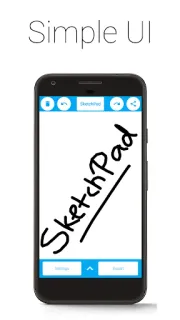
A look at the screens
Leave room for the app itself plus a few hundred megabytes for updates, cache and day to day use. Exact figures vary by device and Android version.
We recommend installing SketchPad – Doodle & Draw only from Google Play, where it is published and updated by its developer and checked by Google Play Protect. This site does not host or distribute APK files; the button on this page opens the official Google Play listing.
Tap the button below to open the official SketchPad – Doodle & Draw listing on Google Play, then tap Install there. Google Play downloads the app and keeps it updated automatically.
Tap the button below to install SketchPad – Doodle & Draw from its official Google Play listing.